Warranty Tracker App: Never Miss a Claim Again
Discover how a warranty tracker app can organize appliance warranties, store receipts and manuals, and remind you before coverage expires. Learn how Victualia's Assets feature keeps all your home asset documentation in one place.
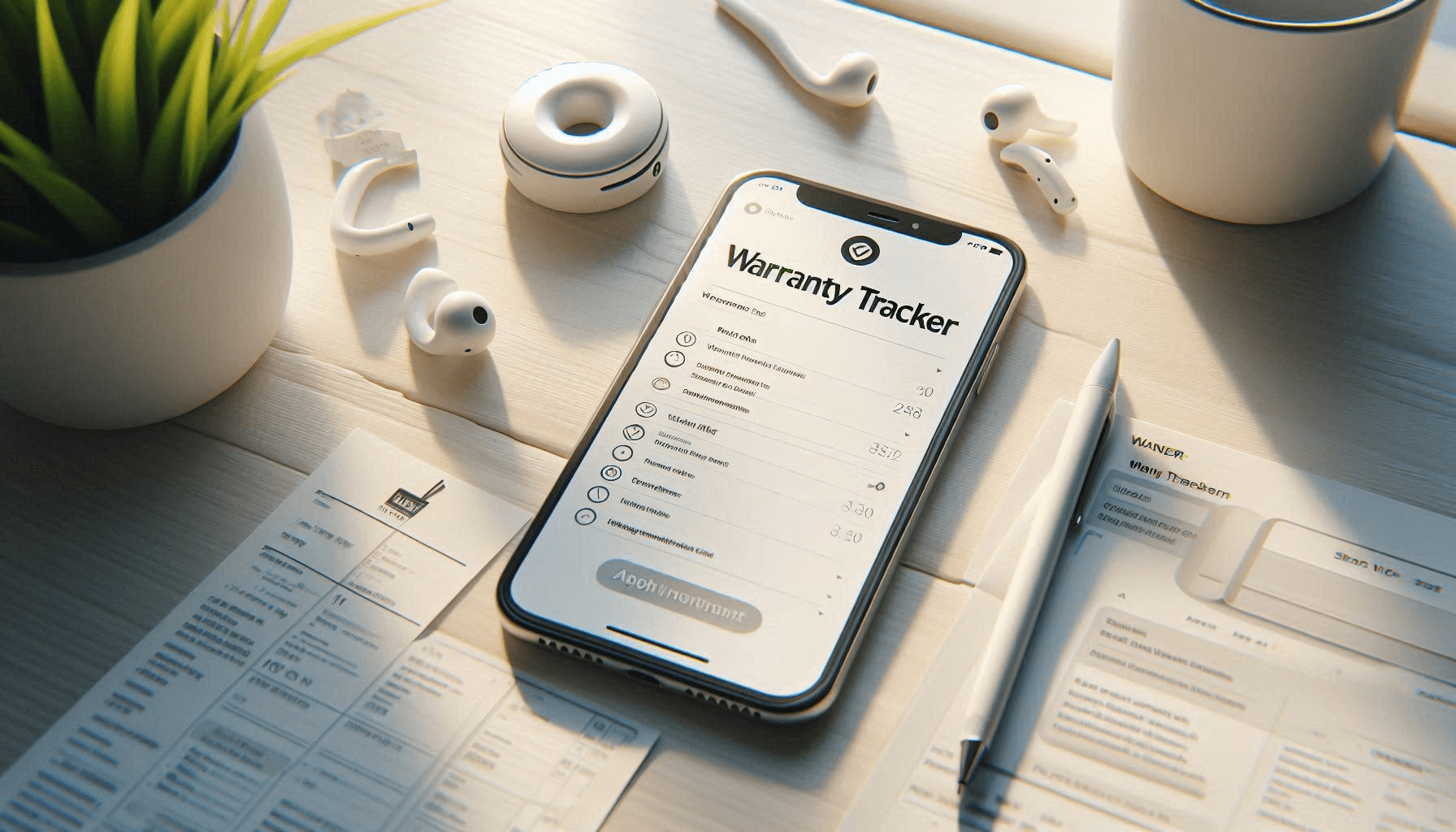
The Problem with Warranty Tracking
Your dishwasher breaks. You know you bought an extended warranty. But:
- When did you buy it?
- When does the warranty expire?
- Where's the receipt?
- What's the serial number?
- Who do you even call?
You spend 45 minutes searching through email, digging through filing cabinets, and flipping through owner's manuals. By the time you find everything, you've lost half a day. Sometimes you never find the receipt and pay out of pocket for a repair that should have been covered.
This happens because warranty information is scattered: receipts in drawers, manuals in closets, purchase dates in your memory.
A warranty tracker app solves this by keeping everything about your home assets in one place.
Victualia includes an Assets feature for tracking household items with warranty information, document storage, and maintenance reminders. Store receipts, manuals, and warranty details. Get reminded before warranties expire. Access everything instantly when you need to make a claim. Get started with Victualia.
What a Warranty Tracker App Should Do
Tracking warranties isn't complicated, but it requires a system. Here's what matters:
Essential features
- Asset database: List of household items with key details
- Warranty dates: Purchase date and expiration tracking
- Document storage: Attach receipts, manuals, warranty cards
- Expiration reminders: Alerts before coverage ends
- Search: Find any asset instantly
- Serial numbers: Store them for warranty claims
Information to track per asset
| Field | Why It Matters |
|---|---|
| Name | Identify the item quickly |
| Brand & model | For warranty claims and part ordering |
| Serial number | Required for most warranty claims |
| Purchase date | Proves when coverage started |
| Purchase price | For insurance claims |
| Warranty expiry | Know when coverage ends |
| Location | Find it in your home |
| Receipt | Proof of purchase |
| Manual | Troubleshooting and specifications |
Most people track zero of these. When something breaks, they start from scratch every time.
The True Cost of Lost Warranty Information
Warranties are money you've already spent. Extended warranties especially—you paid extra for that coverage. Not using them is throwing money away.
Scenario 1: The missed warranty claim
Your refrigerator's compressor fails. The repair is expensive. You vaguely remember a multi-year warranty but can't find the receipt. The warranty was still valid. You pay out of pocket because you can't prove your purchase date.
Scenario 2: The expired warranty you didn't know about
Your TV starts malfunctioning 11 months after purchase. Most electronics have a 1-year warranty. But you don't realize it's about to expire, so you wait to "see if it gets worse." Month 13: it dies completely. Warranty expired. You pay for a replacement that could have been covered.
Scenario 3: The insurance claim without documentation
A pipe bursts and damages your washer, dryer, and several electronics. Insurance asks for model numbers, serial numbers, purchase dates, and receipts. You have none of this organized. Your claim gets delayed or reduced.
The math
Average households have many items with meaningful warranties. If poor tracking causes you to miss even one claim, the loss can easily outweigh the cost of a warranty tracking system.
How Victualia Assets Work
Victualia's Assets feature is designed for exactly this: tracking durable household goods with all their associated information.
Creating an asset
Add any household item you want to track:
- Name: "Living Room TV" or "Kitchen Dishwasher"
- Category: Electronics, Kitchen Appliances, Furniture, etc.
- Brand and model: "Samsung UN55TU8000"
- Serial number: Found on the device or box
- Purchase date: When you bought it
- Purchase price: What you paid
- Warranty expiry: When coverage ends
- Location: Which room it's in
- Notes: Any other relevant details
- Photo: Visual identification
Document storage
Attach files to any asset:
- Receipts: Proof of purchase for claims
- Warranties: Extended warranty documentation
- Manuals: Owner's manual PDF
- Invoices: For business assets or insurance
- Other: Installation records, repair history
Documents are stored and accessible from any device. No more digging through filing cabinets.
Asset categories
Organize items by type:
- Electronics: TVs, computers, phones, speakers
- Kitchen Appliances: Refrigerator, dishwasher, oven, microwave
- Laundry: Washer, dryer
- HVAC: Air conditioner, heater, fans, humidifiers
- Furniture: Sofas, beds, tables, chairs
- Garden & Outdoor: Lawn mower, grill, patio furniture
- Tools & Hardware: Power tools, hand tools
- Household: Vacuum, miscellaneous items
Categories help you filter and find assets quickly.
Setting Up Warranty Tracking
Here's how to build your asset database:
Start with high-value items
Don't try to track everything at once. Start with:
- Major appliances: Refrigerator, washer, dryer, dishwasher, oven
- Electronics: TV, computer, phone, tablet
- HVAC equipment: AC units, furnace, water heater
- Recent purchases: Items still under warranty
These have the highest replacement costs and most valuable warranties.
Gather the information
For each item, collect:
- Serial number: Usually on a sticker on the device
- Model number: Same location or in the manual
- Purchase date: Credit card statement or email receipt
- Warranty terms: Check manufacturer website or documentation
Take photos of serial number stickers—they fade over time.
Scan and attach documents
- Receipts: Scan or photograph before they fade
- Manuals: Download PDF from manufacturer website
- Warranty cards: Scan the completed registration
Digital documents don't get lost, water-damaged, or thrown away by accident.
Set warranty dates
Enter the expiration date for each warranty. Victualia can remind you as expiration approaches so you can:
- Make any pending claims
- Decide whether to extend coverage
- Plan for eventual replacement
Warranty Expiration Reminders
The most valuable feature of a warranty tracker: reminders before coverage ends.
Why reminders matter
You bought a laptop with a 3-year warranty. Year 3 arrives. The battery has degraded significantly—a covered repair. But without a reminder, you don't think about the warranty until year 4 when it's too late.
With a reminder, you get a notification at month 34: "Laptop warranty expires in 2 months." You schedule a battery replacement while it's still covered.
What to do when reminded
When you get a warranty expiration reminder:
- Assess the item: Any issues that should be claimed?
- Check coverage: What does the warranty actually cover?
- Make claims: Submit any valid claims before expiration
- Consider extension: Is an extended warranty worth it?
- Update records: Mark the warranty as expired
Integration with calendar
Victualia links assets to calendar events. Create a recurring maintenance reminder or a one-time warranty expiration event. It shows up alongside your other appointments.
Maintenance Tracking
Warranties aren't the only reason to track assets. Maintenance matters too.
Why maintenance tracking helps
- HVAC filters: Replace every 1-3 months
- Water heater: Flush annually
- Dryer vent: Clean annually to prevent fires
- Refrigerator coils: Clean every 6-12 months
- Gutters: Clean twice per year
Regular maintenance extends equipment life and can be required for warranty coverage. Some warranties void if you can't prove maintenance.
How to track maintenance
In Victualia, link calendar events to assets:
- Create a recurring event: "Replace HVAC filter" every 3 months
- Link to asset: Associate with your HVAC system
- Mark complete: Check off when done
- View history: See all maintenance for an asset
When you need warranty service, you can show your maintenance history.
Home Insurance and Asset Tracking
Beyond warranties, asset tracking helps with insurance.
For claims
If disaster strikes—fire, flood, theft—your insurance needs documentation:
- What did you own?
- What was it worth?
- Proof of ownership?
An asset database with photos, receipts, and serial numbers accelerates claims and reduces disputes.
For coverage review
Do you have enough coverage? Add up your asset values:
- All electronics
- All appliances
- All furniture
- All tools
Is your policy's personal property limit sufficient? Many people are underinsured without realizing it.
For high-value items
Some items need scheduled coverage (separate from standard policy):
- Jewelry over certain value
- Art and collectibles
- Musical instruments
- High-end electronics
Your asset tracker identifies what might need additional coverage.
Asset Categories Deep Dive
Kitchen Appliances
Track these carefully—repairs are expensive:
| Appliance | Typical Warranty | Avg Repair Cost |
|---|---|---|
| Refrigerator | 1-5 years | Varies |
| Dishwasher | 1-2 years | Varies |
| Oven/Range | 1-2 years | Varies |
| Microwave | 1 year | Varies |
Extended warranties often make sense for refrigerators given high repair costs.
Electronics
Rapid depreciation but still worth tracking:
| Device | Typical Warranty | Notes |
|---|---|---|
| TV | 1 year | Extended warranties popular |
| Laptop | 1-3 years | Battery issues common in year 2-3 |
| Phone | 1 year | AppleCare/similar extends to 2 years |
| Speakers | 1-2 years | Usually reliable |
HVAC
High-value systems with long warranties:
| System | Typical Warranty | Notes |
|---|---|---|
| Central AC | 5-10 years | Parts often covered longer than labor |
| Furnace | 10-20 years | Heat exchanger often has separate warranty |
| Water Heater | 6-12 years | Tank vs. tankless differ |
Laundry
Moderate repair costs, frequent use:
| Appliance | Typical Warranty | Avg Repair Cost |
|---|---|---|
| Washer | 1-2 years | Varies |
| Dryer | 1-2 years | Varies |
Front-loaders tend to have more issues than top-loaders—worth tracking carefully.
Moving and Asset Tracking
Moving? Your asset database becomes invaluable.
Before the move
- Inventory: Know exactly what you're moving
- Valuation: Determine moving insurance needs
- Condition: Document current state for damage claims
- Decisions: What to keep, sell, donate?
During the move
- Box tracking: Note which box contains each asset
- Damage documentation: Compare before/after photos
- Serial numbers: Verify you received your items
After the move
- Update locations: Change room assignments
- Verify condition: Check for moving damage
- Update address: For warranty registrations
Common Warranty Mistakes
Not registering warranties
Many manufacturers require registration for warranty coverage. When you buy something new, register it immediately. Add the confirmation to your asset tracker.
Losing receipts
Digital receipts don't fade. Email receipts can be searched. Physical receipts need to be scanned immediately. Upload to your asset tracker the same day you buy something.
Not reading warranty terms
Warranties have conditions:
- What's covered: Parts? Labor? Both?
- What's excluded: Accidental damage? Commercial use?
- How to claim: Who to contact? What proof needed?
Know these before you need them.
Waiting too long to claim
"It's not that bad yet." Famous last words. If an item has a problem under warranty, claim it now. It won't get better, and your coverage window shrinks daily.
Throwing away packaging
Serial numbers and warranty cards are often on or in the box. Don't throw away packaging until you've captured all relevant information.
Getting Started with Victualia Assets
Ready to organize your home assets and warranties? Here's how to start:
- List your major appliances: Start with the expensive stuff
- Gather serial numbers: Check devices and photograph stickers
- Find receipts: Email search, credit card statements, filing cabinets
- Enter warranty dates: Check manufacturer sites if unknown
- Upload documents: Receipts, manuals, warranty cards
- Set reminders: For expirations and maintenance
Start with 5-10 items. Add more over time. Within a month, you'll have a complete home asset inventory.
No more lost warranties. No more missed claims. Get started with Victualia.
Frequently Asked Questions
What is the best warranty tracker app?
The best warranty tracker app stores all asset information in one place: serial numbers, purchase dates, warranty expiration, and documents like receipts and manuals. Look for expiration reminders, document attachment, and easy search. Victualia's Assets feature offers all this as part of a complete household management app.
How do I track appliance warranties?
Create an entry for each appliance with purchase date, warranty expiration, serial number, and model number. Attach the receipt and any warranty documentation. Set a reminder for before the warranty expires so you can make any pending claims.
Should I keep paper receipts?
Scan or photograph paper receipts immediately—they fade over time. Store digital copies in your warranty tracker app. The original paper can then be filed or discarded. Digital receipts are easier to find and don't degrade.
How do I find my warranty expiration date?
Check your receipt for purchase date, then add the warranty period (usually 1 year for electronics, varies for appliances). For extended warranties, check the warranty documentation. If unknown, contact the manufacturer with your serial number.
What information do I need for a warranty claim?
Most claims require: proof of purchase (receipt), serial number, model number, purchase date, and description of the problem. Having all this organized in an asset tracker makes claims quick and successful.
Can I track maintenance history?
Yes, Victualia links calendar events to assets. Create maintenance events (filter replacement, cleaning, service calls) and associate them with the relevant asset. View all maintenance history from the asset detail page.
Is asset tracking useful for insurance?
Absolutely. An asset database with photos, serial numbers, purchase dates, and values accelerates insurance claims after theft, fire, or flood. It also helps you verify you have adequate coverage for your belongings.
Stop losing money on missed warranty claims. Get started with Victualia and keep all your asset documentation organized.
Related Articles
- Pantry Inventory App – Track consumables while Assets tracks durables—together they cover everything in your home.
- Family Organizer App – Manage household assets alongside calendars, tasks, and family coordination.
- Home Inventory App – Learn more about tracking what you own for insurance and organization.